

Galaxy Explorer: Seeing Code in 3D
Every codebase has an architecture. Most of the time, that architecture lives in one person’s head, or worse, in a diagram from two years ago that no longer matches reality.
StellarView’s Galaxy Explorer makes the real architecture visible. Point it at any GitHub repository. In seconds, every file is mapped, classified, and rendered as a navigable 3D constellation.
The Five Layers
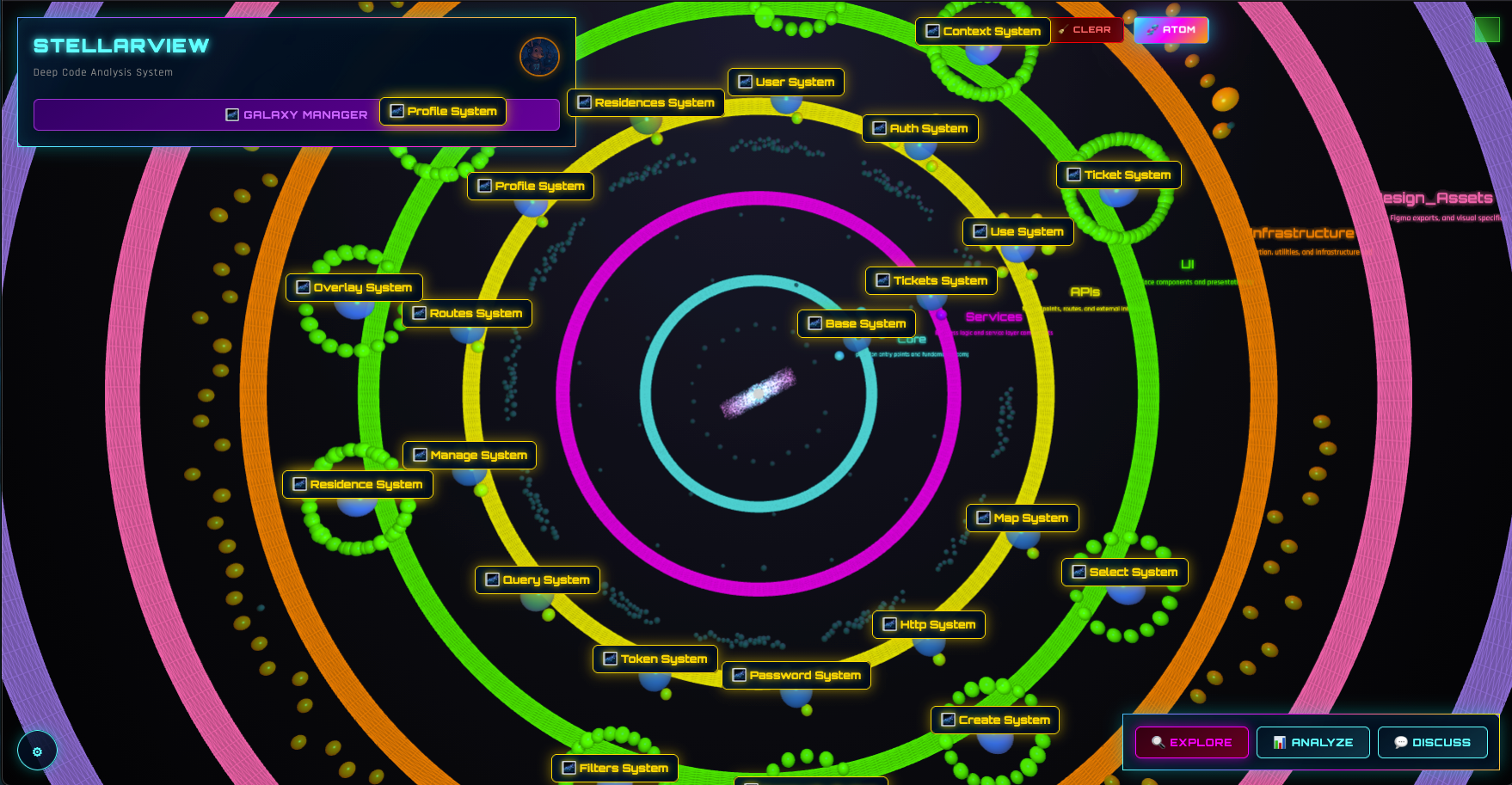
Every file in the codebase is classified into one of five architectural layers. This is not manual tagging. The ProjectAnalyzer reads the file, its name, path, imports, exports, and contents, and classifies it automatically using Tree-sitter parsing.
Core Layer (Cyan)
Entry points. Main files. Kernels. The files that bootstrap the application.
server.js,index.ts,app.py,main.go- Configuration roots, environment setup
- The files that answer: “Where does this thing start?”
Services Layer (Magenta)
Business logic. Managers. Processors. Orchestrators. The files that do the actual work.
UserService.js,PaymentProcessor.ts,AnalysisMissionOrchestrator.js- State machines, workflow engines, domain models
- The files that answer: “What does this system do?”
APIs Layer (Yellow)
Endpoints. Controllers. Gateways. The files that expose functionality.
routes/users.js,api/payments.ts,controllers/auth.py- GraphQL resolvers, REST endpoints, WebSocket handlers
- The files that answer: “How do you talk to this system?”
UI Layer (Green)
Components. Views. Templates. The files that humans see.
Dashboard.tsx,LoginForm.vue,base.html- Stylesheets, layouts, client-side scripts
- The files that answer: “What does this look like?”
Infrastructure Layer (Orange)
Config. Utils. Tools. Tests. The files that support everything else.
webpack.config.js,Dockerfile,terraform/main.tf- Test suites, migration scripts, CI workflows
- The files that answer: “How is this built and deployed?”
What You See
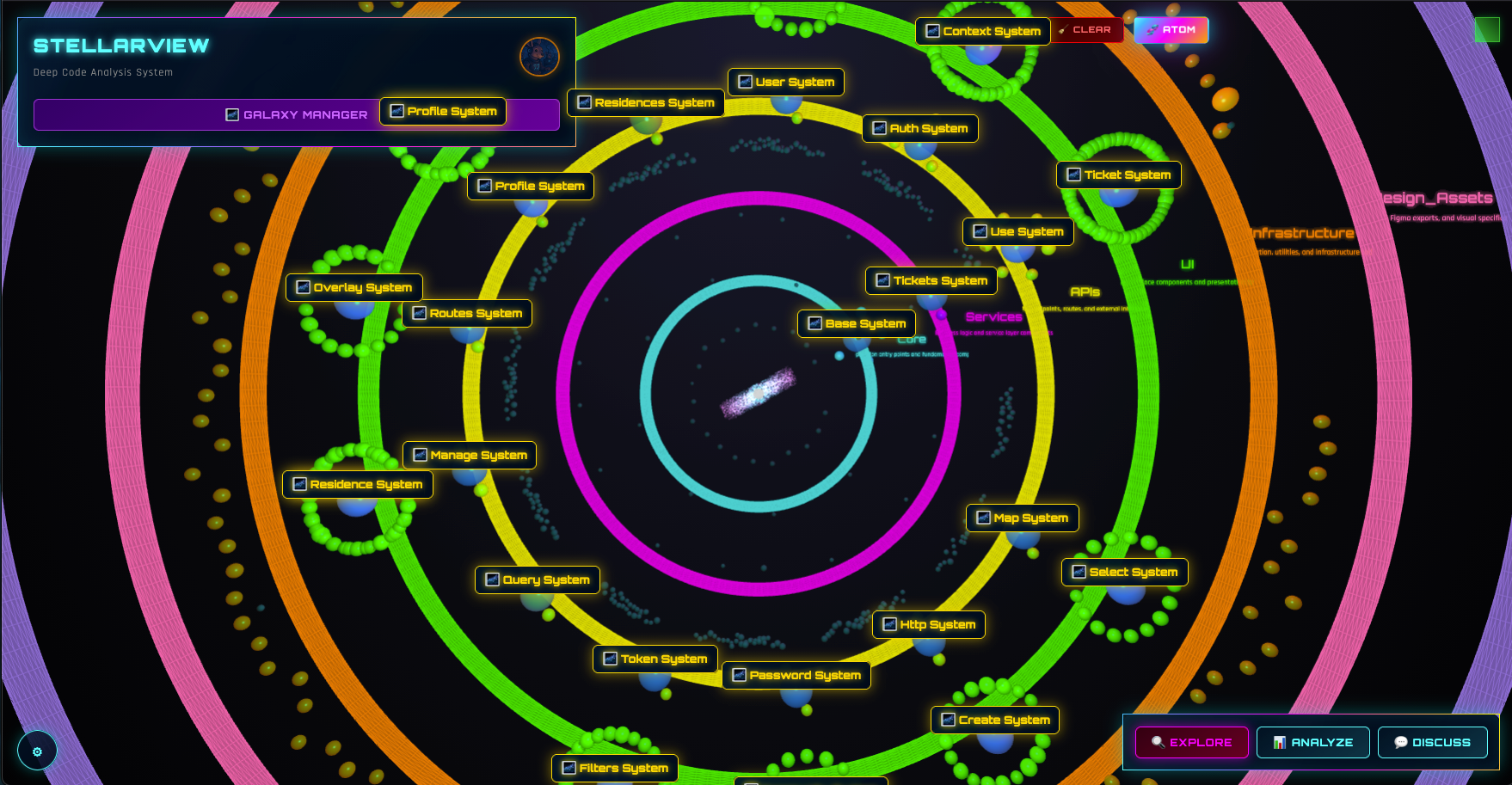
The 3D view is not a gimmick. It reveals patterns that flat file trees hide:
Concentration: if most nodes cluster in the Services layer, the app is logic-heavy. If they cluster in Infrastructure, the app might be over-engineered for its complexity.
Isolation: files with no connections to other layers are potential dead code or orphaned utilities.
Hotspots: files that connect to many others across layers are architectural bottlenecks. A single service file connected to six API routes and four UI components is a refactoring target.
Layer violations: a UI component directly importing from Infrastructure (bypassing Services and APIs) is an architectural smell visible at a glance.
The Discovery Flow
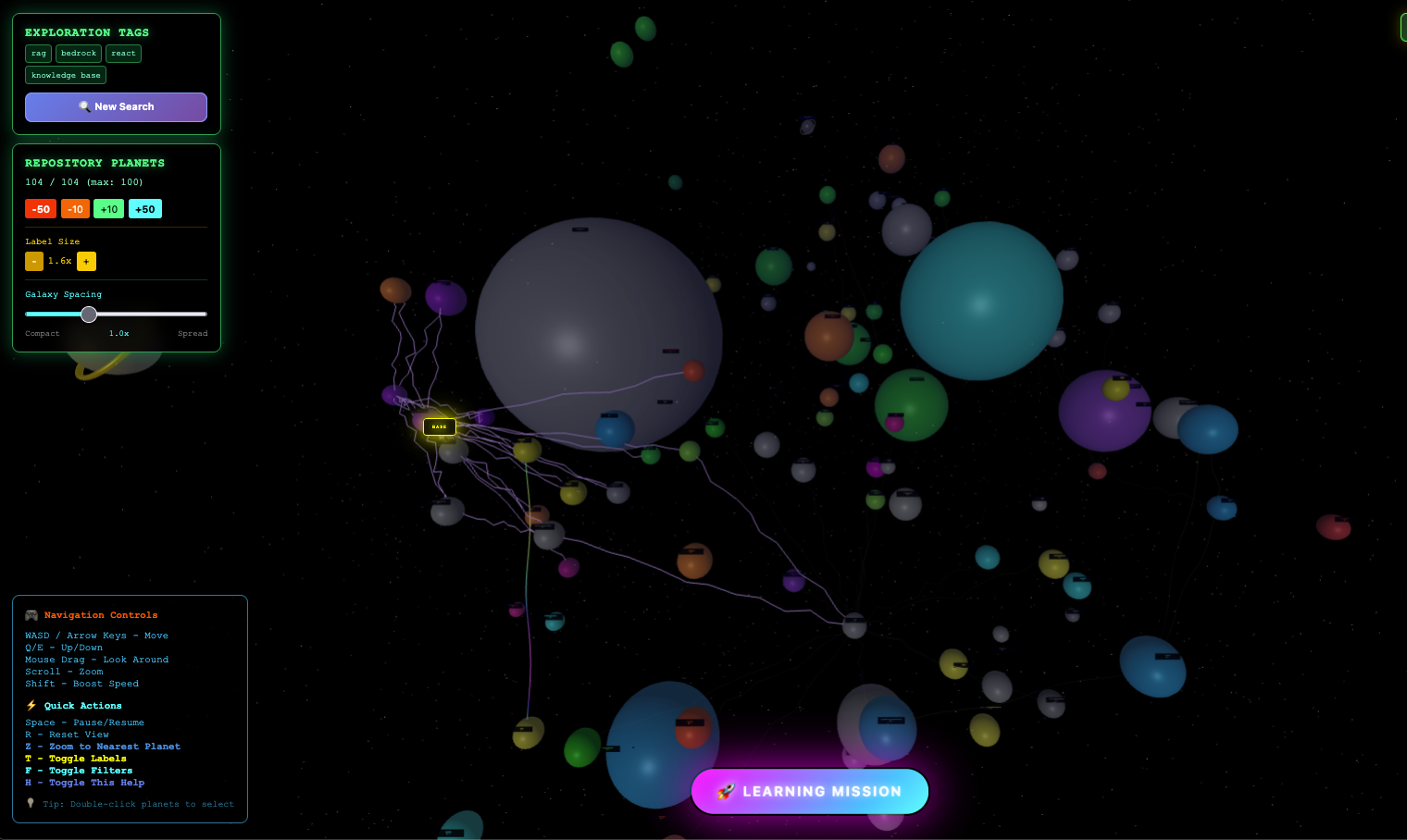
Step 1: Connect a Repository
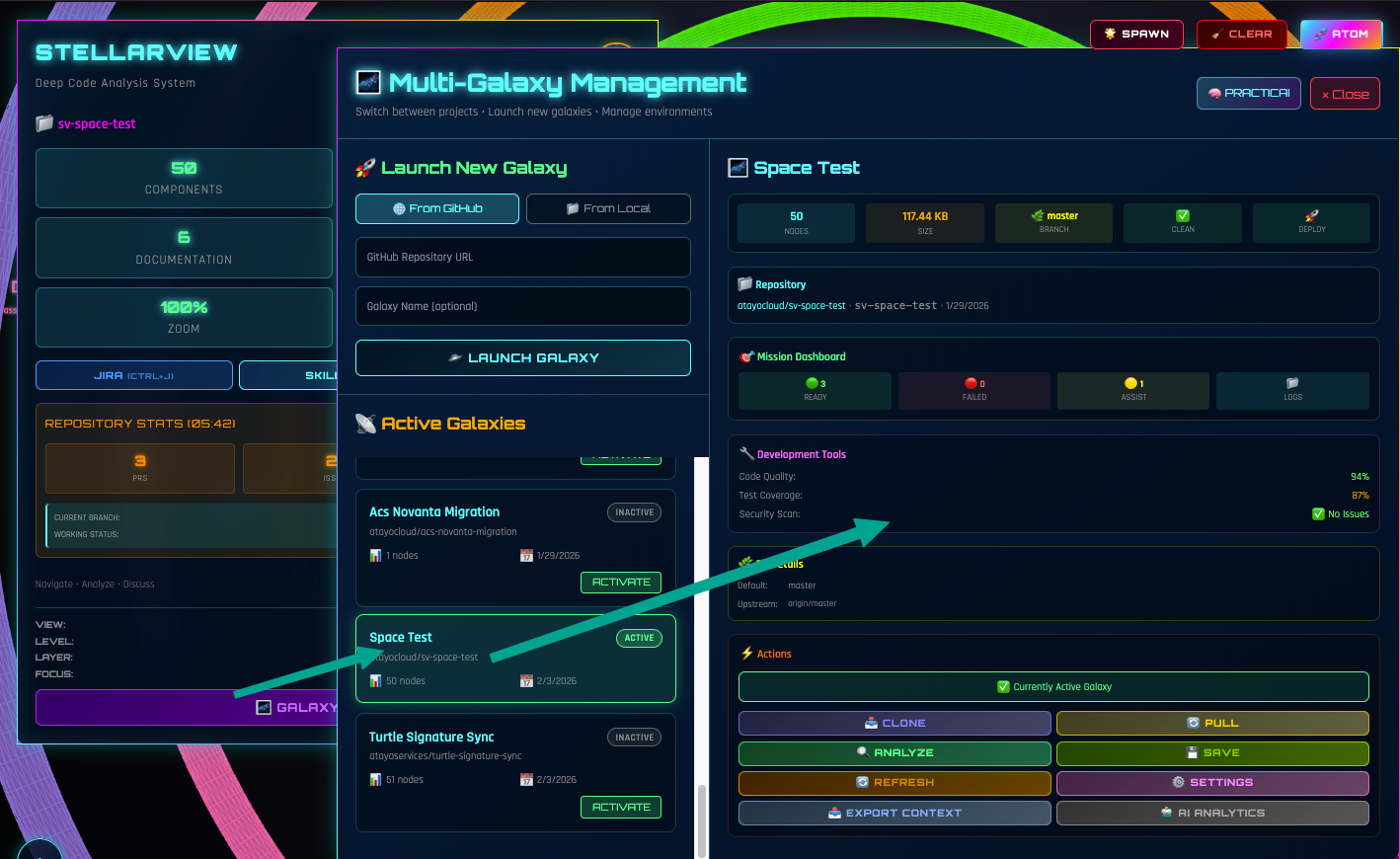
Galaxy Explorer connects to GitHub via the galaxy’s credentials. Enter an organization or repository URL. The explorer fetches the file tree and begins analysis.
Step 2: Automatic Analysis
The ProjectAnalyzer runs Tree-sitter parsing on every file. Supports JavaScript, TypeScript, Python, Java, C++, Go, and Rust. Each file is classified by layer and scored for complexity.
Analyzing practicai-org/solarscore..
 Files scanned: 334
 Core: 12 files
 Services: 89 files
 APIs: 67 files
 UI: 124 files
 Infrastructure: 42 files
 Parse time: 3.2s
Step 3: Navigate
Click any node to see:
- File path and size
- Layer classification with confidence score
- Import/export relationships
- Complexity metrics
- One-click to open in GitHub
Rotate the constellation. Zoom into a layer. Filter by file type. Search for a specific file. The architecture is explorable, not just viewable.
Step 4: Create Issues
See a problem? Click the node, click “Create Issue.” StellarView populates a GitHub issue with the file context, the architectural concern, and suggested remediation. The issue lands in the galaxy’s backlog, ready for the next epic.

Galaxy Explorer + Epic Creator
The real power is the integration. Galaxy Explorer maps the architecture. Epic Creator designs the changes. Miracle Mode executes them.
A typical flow:
- Explore the codebase in 3D, identify the Services layer bottleneck
- Create an issue, “Refactor PaymentProcessor into separate services”
- Open Big Bang, the issue becomes an epic with phases and work units
- Execute. Miracle Mode refactors the code across multiple files while maintaining the architectural layers
The constellation updates after execution. The bottleneck is resolved. The architecture is healthier. And you saw it happen in 3D.
Supported Languages
Tree-sitter parsing currently supports:
- JavaScript / TypeScript: full AST analysis including JSX/TSX
- Python: module structure, class hierarchy, decorator detection
- Java: package structure, inheritance, annotation detection
- C++: namespace and class hierarchy
- Go: package and interface analysis
- Rust: module and trait analysis
Additional languages are added by extending the ProjectAnalyzer, each new language gets a Tree-sitter grammar and a layer classification heuristic.
Why This Matters
Most developers have never seen their codebase as a whole. They know their corner, the files they touch daily. The architecture is an abstraction they discuss in meetings but never see.
Galaxy Explorer makes the abstraction concrete. Five layers. Color-coded. Navigable. Click any file. See its relationships. Understand the whole before you change a part.
This is how the Modern Principal starts every engagement: not by reading code file by file, but by seeing the architecture at a glance and knowing exactly where to intervene.
Try it: Open Galaxy Explorer in StellarView. Connect any GitHub repository. See the architecture in 3D.